
What the numbers in CommenSense mean
TroubleshootingUpdated By Team CommenSense
On this page
This page goes through every number CommenSense shows, screen by screen, and says exactly what it counts. All of them are for the Instagram account selected at the top of the sidebar.
Home: Activity
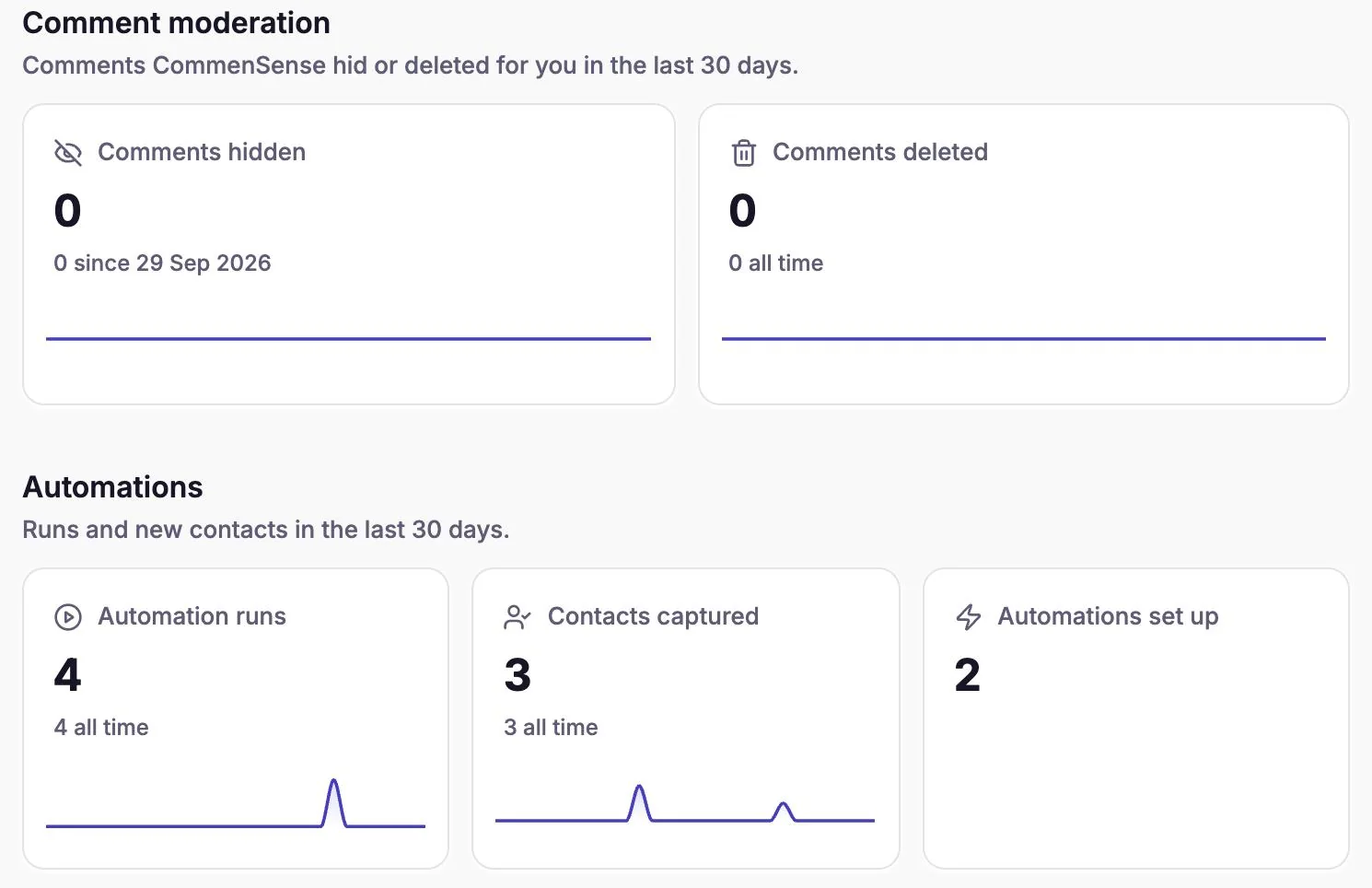
Home's Activity tab shows what CommenSense did in the last 30 days, with a small chart for each day. The line under each number gives the all-time total.
| Number | What it counts |
|---|---|
| Comments hidden | Comments CommenSense hid: by your hide rules, by Restricted people, or by you in Bulk actions. Hides are counted from 29 September 2026, when CommenSense started recording them, so the all-time line says "since 29 Sep 2026". |
| Comments deleted | Comments CommenSense deleted, by Restricted people or by you in Bulk actions. |
| Automation runs | Comments and story replies your automations responded to (the same count as Runs below, added up for the account). |
| Contacts captured | New people who got a DM from your automations. A person is counted once, the first time. |
| Automations set up | How many automations the account has, live or switched off. It has no chart because it's a count, not an event. |
Hiding or deleting a comment directly in the Instagram app isn't counted; these numbers are only what happened through CommenSense.
Home: Plan usage
Comment scans shows how many comments CommenSense has read with AI this period, out of your plan's allowance, and the date it resets. Your allowance is shared by all the Instagram accounts on your login. Instagram accounts shows how many accounts are connected out of your plan's limit.
Automations list: Runs and Clicks
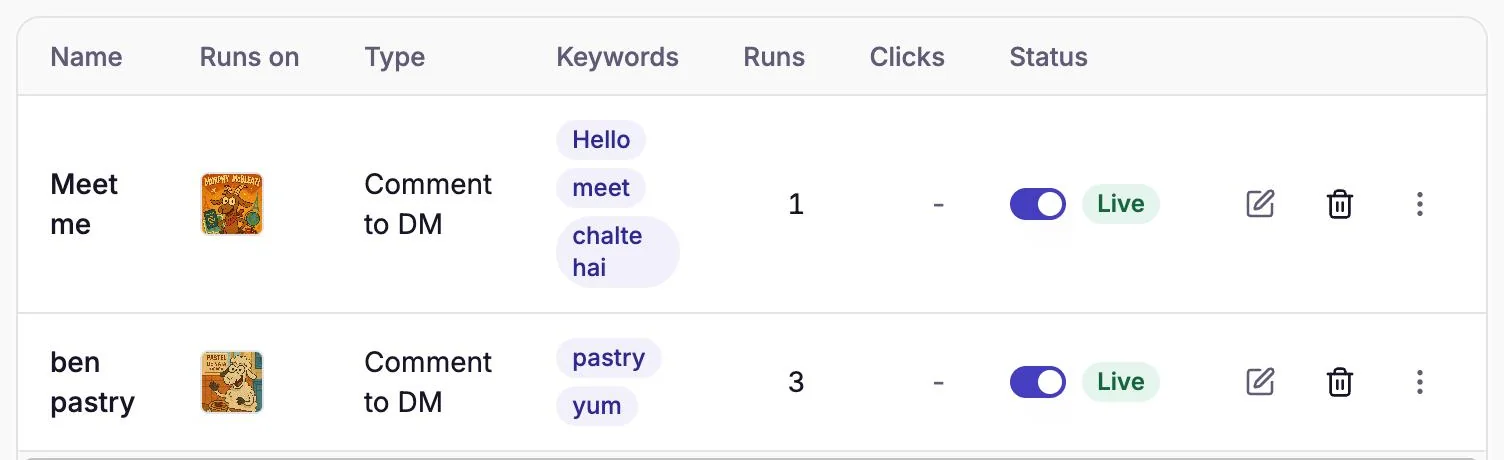
Runs is how many comments (or story replies) the automation responded to. A comment counts once, whether it got a DM, a public reply or both. It includes flows that started but weren't finished, for example someone who got your opening message but never tapped its button.
What doesn't count as a run: comments that didn't match, comments the automation skipped (see why an automation didn't reply or send a DM), and anything before July 2026, when CommenSense began recording which automation sent each message.
Clicks is how many times the links in the automation's DM buttons were opened. Three things to know:
- It's every open, not unique people. One person opening the link three times counts as three.
- Link previews generated by apps and bots aren't counted.
- It only applies to Buttons and Picture + buttons DMs. Links in a plain Text DM aren't tracked, so the column shows a dash.
Contacts
Contacts lists everyone who got a DM from your automations, one row per person, with any email or phone number they gave you through Collect an email or phone number. Someone who only commented, without getting a DM, isn't a contact.
Post insights
Open Posts, pick a post and go to the Insights tab. The numbers here are for that one post.
| Section | Number | What it counts |
|---|---|---|
| Performance | Views, Reach, Interactions, Likes, Comments, Shares, Saves, and more | Instagram's own figures for the post, as Instagram reports them. Reach is unique accounts. |
| Comment intelligence | Purchase intent, Questions, Complaints, Comment mix | What CommenSense's AI read in the comments. Only comments it has read are counted; the card says how many, for example "40 of 52 comments analyzed". Comments imported with Sync comments, and comments that arrived while your scans were used up, aren't read. |
| Automation | DMs sent | DMs your automations sent to people who commented on this post. Opening messages and follow prompts aren't included. |
| Automation | Replies sent | Public replies posted under this post's comments through CommenSense: by automations and by you in Bulk actions. |
| Automation | Leads captured | People who gave a valid email or phone number, with the share of those who were asked. |
| Automation | Automation journey | How many people reached each step of automations with extra steps: opening message sent, passed the follow check, lead captured. Plain DM automations have no steps, so they don't appear here. |
| Moderation | Hidden, Deleted | This post's comments CommenSense hid or deleted. |
| Moderation | Moderated | Hidden plus deleted, as a share of the post's comments in CommenSense. |
| Moderation | Hate / harassment | Comments the AI labelled as hate or harassment. This is a label, not an action: these comments are hidden only if one of your rules also catches them. |
Why don't the numbers match?
They count different things, so these differences are normal:
- Runs is higher than Contacts captured. Contacts counts people, once each; Runs counts comments. One person commenting twice is two runs and one contact. A Reply to comment automation adds runs but no contacts, since it sends no DM.
- Runs is higher than DMs sent. Runs includes public-reply-only automations and flows that stopped at the opening message or follow check. DMs sent counts only DMs that went out.
- Clicks is higher than Runs. People open links more than once.
- Comments hidden looks low. Hides done before 29 September 2026, and hides done in the Instagram app, aren't counted.
- Comment intelligence counts fewer comments than the post has. Imported comments, and those that arrived after your comment scans ran out, aren't read by the AI.
Related guides
Why didn't my automation reply or send a DM?
Work out why a CommenSense automation skipped a comment, from keyword matches and status to follow checks, plan limits and Instagram delays.
Updated
How to send an automatic DM when someone comments on your Instagram post
Set up a Comment to DM automation in CommenSense: choose the post, the keywords and the message, and see exactly what the commenter receives.
Updated
How to hide Instagram comments automatically
Hide spam, links, swearing and your own banned words on every Instagram post automatically with CommenSense, and know exactly what gets hidden.
Updated